Thank you! Your submission has been received!
Oops! Something went wrong while submitting the form.
Thank you! Your submission has been received!
Oops! Something went wrong while submitting the form.


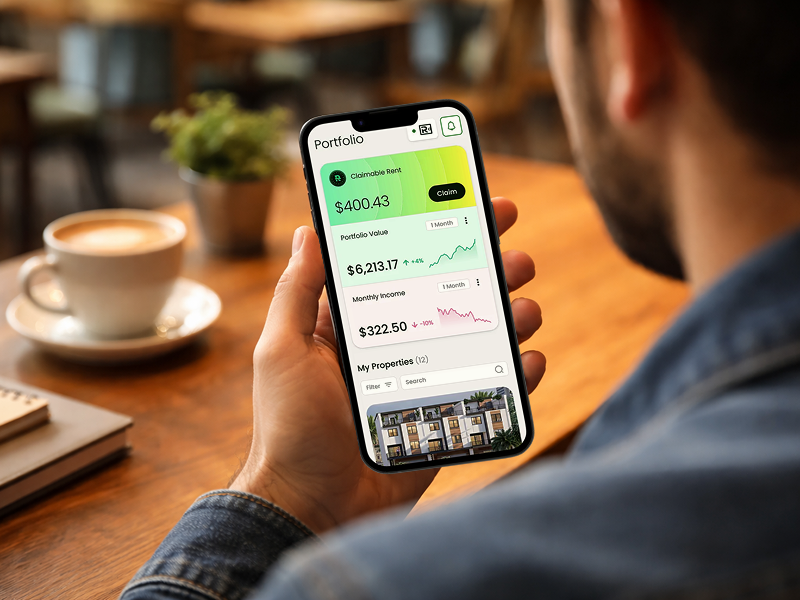
After 15+ years designing for financial services companies including Chase, JPMorgan, and OppenheimerFunds, I've learned one critical truth:
Users don't abandon financial products because they're confused. They abandon because they're anxious.
Money triggers deep psychological responses. Fear of loss. Uncertainty about decisions. Anxiety about security. If your fintech design doesn't address these emotions, you're losing users—no matter how good your tech is.
Here are the 5 psychology principles that have consistently driven results across enterprise fintech (Chase, JPMorgan) and fast-growing startups (FastWill, Remora, Agrippa).
---
What it is: Cognitive load is the mental effort required to complete a task. In fintech, this is especially critical because financial decisions already require significant mental processing. Every additional choice, field, or step increases the likelihood of abandonment.
The psychology: When our brains are overloaded with information, we default to the easiest decision: doing nothing. This is called "analysis paralysis"—and it's killing your conversion rates. Research shows that when faced with too many options, people are 10x more likely to make no decision at all rather than risk making the wrong one.
The Problem: The original Zelle signup flow required users to:
• Enter email and phone
• Verify both
• Link bank account
• Answer security questions
• Set up payment preferences
• All on a single overwhelming form
The Solution: We broke the process into bite-sized steps using progressive disclosure:
• Step 1: Just email (one field)
• Step 2: Verify email (one action)
• Step 3: Phone number (one field)
• Step 4: Link bank account (clear, simple interface)
• Step 5: Confirmation (celebrate the win)
The Result: 12% increase in Zelle signups within 14 months
The Problem: Users saw a 47-question estate planning form and immediately felt overwhelmed. The topic was already emotionally heavy; the complex form made it worse.
The Solution:
• Grouped questions into 5 simple categories
• Showed only 3-4 questions at a time
• Used conversational language instead of legal jargon
• Added contextual help tooltips
• Displayed progress indicators
The Result: 40% reduction in form abandonment + 18% increase in completed estate plans
• Count how many fields are on your first screen
• If it's more than 3, you're losing users
• Break multi-step processes into the smallest possible chunks
• Show one thing at a time, especially for complex decisions
Key Principle: If users can complete a step in under 10 seconds, they'll keep going. If it takes longer, they'll start questioning whether it's worth it.
---
What it is: Trust signals are visual and contextual cues that reduce anxiety and increase confidence. In fintech, where users are literally trusting you with their money, these signals are non-negotiable.
The psychology: The amygdala (the fear center of our brain) is constantly scanning for threats. When dealing with money, it's on high alert. Trust signals tell the amygdala "everything is okay here"—allowing the prefrontal cortex (decision-making center) to take over. Without trust signals, anxiety wins. With them strategically placed, conversions win.
The Problem: Users were abandoning the flow right before entering bank account information—the highest-anxiety moment in the entire process.
The Solution: We placed trust signals at the exact moment anxiety peaked:
• Bank-level security badge (256-bit encryption)
• "We never store your bank password" reassurance
• Visual indicator showing secure connection
• Small testimonial: "Used by 10,000+ businesses"
• "Your data is encrypted and secure" micro-copy
We also added a small "Why we need this" link that explained the process in simple terms.
The Result: 35% increase in bank account connection completion + 28% faster overall onboarding time
The Problem: Free trial users loved the product but hesitated at the payment screen. The friction wasn't about value—it was about trust.
The Solution: Added strategic trust signals at the pricing page:
• "Cancel anytime, no questions asked" prominently displayed
• Credit card icons (Visa, Mastercard, etc.) showing accepted payment methods
• "30-day money-back guarantee" badge
• "Your payment info is encrypted" message near form
• Client logos showing recognizable companies using the product
The Result: 22% increase in trial-to-paid conversions + 45% reduction in time-to-value
• Identify the 3 highest-anxiety moments in your user flow
• For fintech, it's usually: entering payment info, linking bank accounts, making first transaction
• Place trust signals at these exact moments—not randomly throughout the experience
• Test different types of trust signals (security badges, testimonials, guarantees, explanations)
Key Principle: Trust signals work best when they address the specific fear users have at that exact moment. Generic "secure" badges don't work as well as "We never store your bank password" at the bank linking screen.
---
What it is: Progress psychology leverages our brain's natural desire for completion. When we can see how close we are to finishing something, we're much more likely to push through—even if the remaining steps are challenging. This is why progress bars increase completion rates by 23-34% on average in multi-step processes.
The psychology: The "Endowed Progress Effect" shows that people are more motivated to complete a task when they believe they've already made progress toward it. Even artificial progress (like starting a loyalty card with 2 stamps already filled in) dramatically increases completion rates. In fintech, where onboarding requires multiple steps, showing progress turns "this feels long" into "I'm almost done."
The Problem: The sales application we designed had 8 necessary steps. Users were abandoning around step 4, assuming they'd never finish.
The Solution:
• Added clear progress indicator (Step 3 of 8)
• Showed visual progress bar filling up
• Celebrated micro-wins: "Great! You're halfway there" after step 4
• Made completed steps visually distinct (checkmarks, different color)
• Showed estimated time remaining: "2 more minutes"
The Result: 23% increase in application completion (the stat in the title!)
The Problem: Creating a complete estate plan requires multiple documents (will, healthcare proxy, power of attorney). Users didn't realize how much progress they'd made and gave up.
The Solution:
• Dashboard showing all documents with completion status
• Visual checklist: "3 of 5 documents complete"
• Celebratory messages at milestones
• Next step always clearly highlighted
• Option to save and return later (reduced pressure)
The Result: 55% increase in completed estate plan packages (all documents, not just one)
• Multi-step forms need progress bars
• Show "Step X of Y" clearly
• Celebrate milestones ("You're halfway there!")
• Make completed steps visually distinct
• Always show what's next
Key Principle: Even if your process is short, showing progress creates psychological momentum. The human brain loves finishing what it started.
---
What it is: Behavioral nudges are gentle suggestions that guide users toward desired actions without feeling pushy or manipulative. Unlike aggressive calls-to-action that trigger psychological resistance ("Don't tell me what to do!"), nudges feel like helpful guidance.
The psychology: Reactance theory explains why aggressive CTAs often backfire: when people feel their freedom is threatened, they resist—even if the action would benefit them. Nudges work because they preserve user autonomy while making the desired action the path of least resistance.
The Problem: Original design used aggressive CTAs: "Sign Up Now!", "Don't Miss Out!", "Start Using Zelle Today!" These created psychological resistance, especially for users cautious about new financial tools.
The Solution: We replaced aggressive language with gentle nudges:
• "See how it works" instead of "Sign up now"
• "Send $5 to try it" instead of "Start sending money"
• "Your friends are using Zelle" (social proof) instead of "Everyone's doing it"
• Suggested next steps: "You might want to..." instead of "You must..."
• Made opting out just as easy as opting in
The Result: 12% increase in signup rate + Higher long-term engagement (users who weren't pressured became more loyal)
The Problem: Users weren't discovering key features that would increase retention. Aggressive pop-ups ("Try this feature now!") were being immediately closed.
The Solution: Contextual nudges at the right moment:
• "Pro tip: You can automate this" appearing after user completes a manual task
• "Did you know?" suggestions rather than interruptions
• Option to "Remind me later" (respecting autonomy)
• Showing what similar users do: "Teams like yours often use..."
The Result: 34% increase in feature adoption + 62% reduction in dismissed notifications
• Replace "Sign up now" with "See how it works"
• Replace "Buy now" with "Start your trial"
• Replace "Don't miss out" with "Join [X] companies already using this"
• Give users control: "Maybe later" or "Remind me" options
• Use social proof as a nudge: "What others do" instead of "What you should do"
Key Principle: The best CTA is one that doesn't feel like a call-to-action. It feels like helpful guidance.
---
What it is: Familiar design patterns reduce cognitive load and anxiety because users don't have to learn new interaction models. When dealing with something inherently stressful (money), familiarity creates comfort. This doesn't mean boring design—it means using established patterns for functional elements while differentiating your brand through style, not structure.
The psychology: The "Mere Exposure Effect" shows that people prefer things they're familiar with. In UX, this means users prefer interfaces that work like ones they already know. Jakob's Law states: "Users spend most of their time on other sites. This means users prefer your site to work the same way as all the other sites they already know."
The Problem: Early designs tried to "innovate" the payment flow with unique interactions. Users were confused and anxious—they didn't trust a payment process that felt unfamiliar.
The Solution:
• Used standard form layouts users expect for payment info
• Placed CVV explanation exactly where users expect it (next to the field)
• Credit card field that formats itself as users type (familiar from other sites)
• Standard checkout flow: Cart → Information → Payment → Confirmation
• Innovated on visual design and brand, not interaction patterns
The Result: 28% faster completion time + 35% reduction in support tickets ("How do I pay?")
The Problem: Estate planning is intimidating and unfamiliar to most people. Making the interface unfamiliar too would compound anxiety.
The Solution:
• Used familiar Q&A format (like TurboTax or online forms people know)
• Navigation and progress patterns matching commonly-used tools
• Document preview that looks like actual legal documents people recognize
• Familiar language: "Next" instead of creative alternatives
• Reserved innovation for making legal jargon understandable
The Result: 40% reduction in abandonment + positive feedback about "feeling easy"
The Problem: Users switching from competitors were confused by unfamiliar dashboard layouts, slowing adoption and increasing churn risk.
The Solution:
• Dashboard layout similar to industry standards
• Navigation patterns matching enterprise tools users already know
• Familiar terminology rather than creating new terms
• Keyboard shortcuts matching common conventions (Cmd+S to save, etc.)
• Differentiated through superior functionality and polish, not novel patterns
The Result: 50% faster onboarding + Higher satisfaction scores + 45% reduction in time-to-value
• Use standard patterns for core interactions (forms, navigation, buttons)
• Place common elements where users expect them
• Use familiar language and terminology
• Look at successful competitors—not to copy, but to understand user expectations
• Innovate on value and visual design, not interaction patterns (unless you have a really good reason)
Key Principle: Creativity in visual design builds brand. Creativity in interaction patterns creates confusion. Know the difference.
---
These 5 principles work best when combined strategically:
1. Cognitive Load Reduction - Break complex processes into simple steps
2. Strategic Trust Signals - Place them where anxiety peaks
3. Progress Psychology - Show users how close they are to completion
4. Behavioral Nudges - Guide gently instead of pushing aggressively
5. Familiarity - Use established patterns to reduce anxiety
CHASE
Challenge: Low Zelle signups
Solution: Cognitive load reduction + behavioral nudges
Result: 12% increase in signups
FASTWILL
Challenge: High form abandonment
Solution: Cognitive load + progress psychology + familiarity
Result: 40% reduction in abandonment, 18% increase in completions
REMORA
Challenge: Bank linking anxiety
Solution: Strategic trust signals + familiarity
Result: 35% increase in bank connections, 28% faster onboarding
AGRIPPA
Challenge: Low trial-to-paid conversion
Solution: Trust signals + familiarity + reduced time-to-value
Result: 22% increase in conversions, 45% reduction in time-to-value
JPMORGAN
Challenge: Application abandonment
Solution: Progress psychology + momentum
Result: 23% increase in completions
---
Immediate Actions (This Week):
1. Audit your onboarding flow - Count fields, steps, decisions required
2. Map anxiety points - Where do users hesitate? Where do they drop off?
3. Add progress indicators - Even simple ones make a difference
4. Simplify one screen - Start with your highest-traffic page
Medium-Term Actions (This Month):
1. A/B test trust signals - Try different types at different moments
2. Rewrite aggressive CTAs - Replace pressure with guidance
3. User test familiarity - Ask 5 users if your interface feels "normal"
4. Measure anxiety metrics - Time-on-page at high-stakes moments
Long-Term Strategy (This Quarter):
1. Implement all 5 principles systematically across your product
2. Track conversion metrics at each step of your funnel
3. Run continuous optimization - Psychology-informed design is never "done"
4. Build a psychology-informed design system - Make these principles your defaults
---
If you're working on fintech conversion optimization and want help applying these principles to your specific product, I'd be happy to chat.
We work with fintech companies in two ways:
Monthly Subscriptions: $5.5k-$7.5k/month
• 65-85 hours of design work per month
• Ongoing UI/UX, visual design, prototyping
• Psychology-informed design strategy
• Pause anytime, no contracts
Hourly Projects: $95/hour
• Great for one-off optimizations
• Minimum 20-hour engagement
• Perfect for conversion audits
Most fintech clients start with a trial month to see the fit.
Schedule a 15-minute call: https://calendly.com/nemomakes/meeting
Portfolio: nemomakes.com/projects
LinkedIn: linkedin.com/in/nemomakes
---
ABOUT THE AUTHOR
Gene Nemirovsky is a design leader with 15+ years of experience creating psychology-informed digital experiences for financial services companies.
He's driven measurable results for:
• Chase: 12% increase in Zelle signups
• OppenheimerFunds: 18% boost in customer acquisition
• JPMorgan: "Best New Product" award for sales technology platform
Gene founded Nemomakes in 2019 to help fintech, AI, and crypto companies turn intimidating interfaces into trustworthy, conversion-optimized experiences.
His approach combines behavioral psychology principles with enterprise-level design execution—bringing agency-quality work to growing startups at founder-friendly pricing.

